01 / FOLLOW THE DAY
Find your moment.
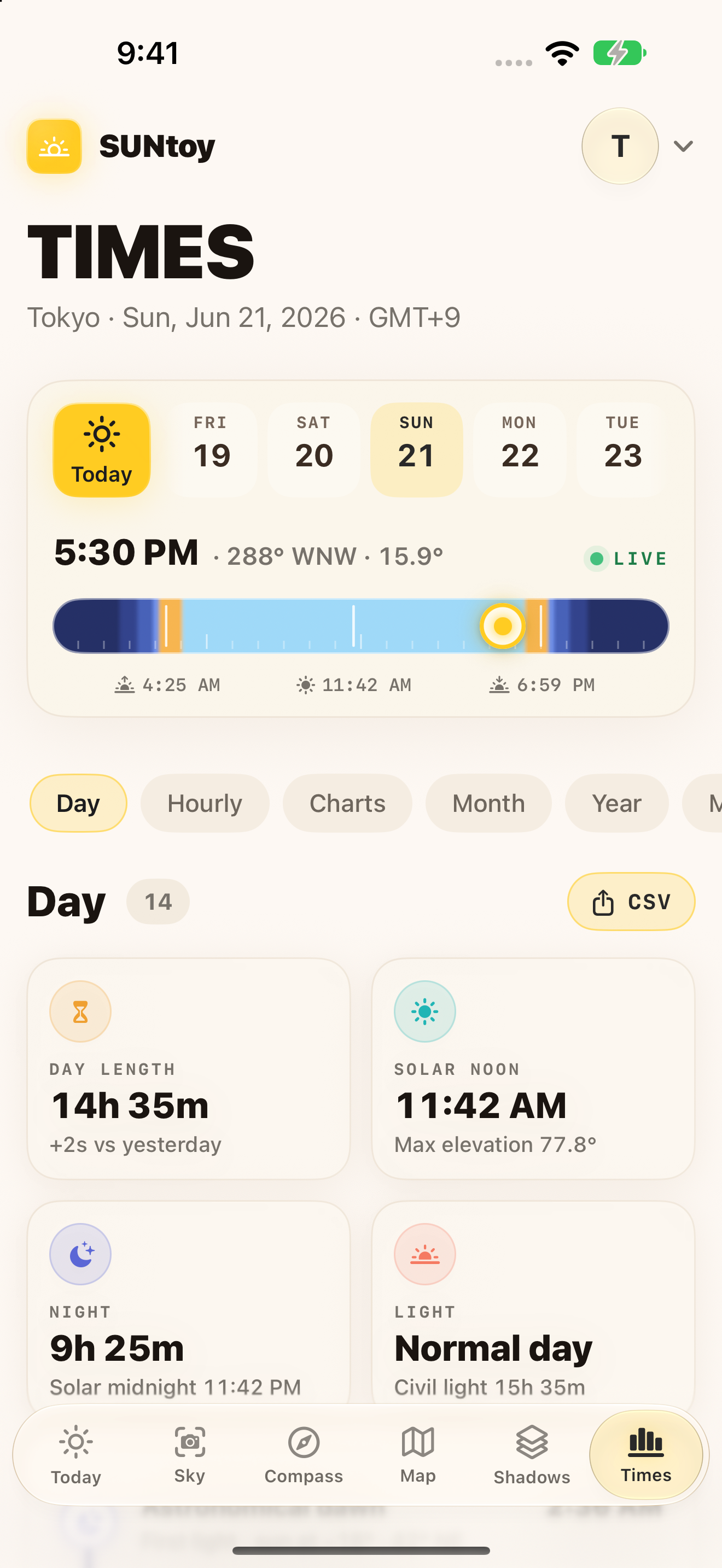
Sunrise, sunset, blue hour and golden hour, with sun and moon positions for your chosen place. Scrub through the day or look ahead to another date.
 SUNtoy
A LITTLE CLOSER TO THE SUN
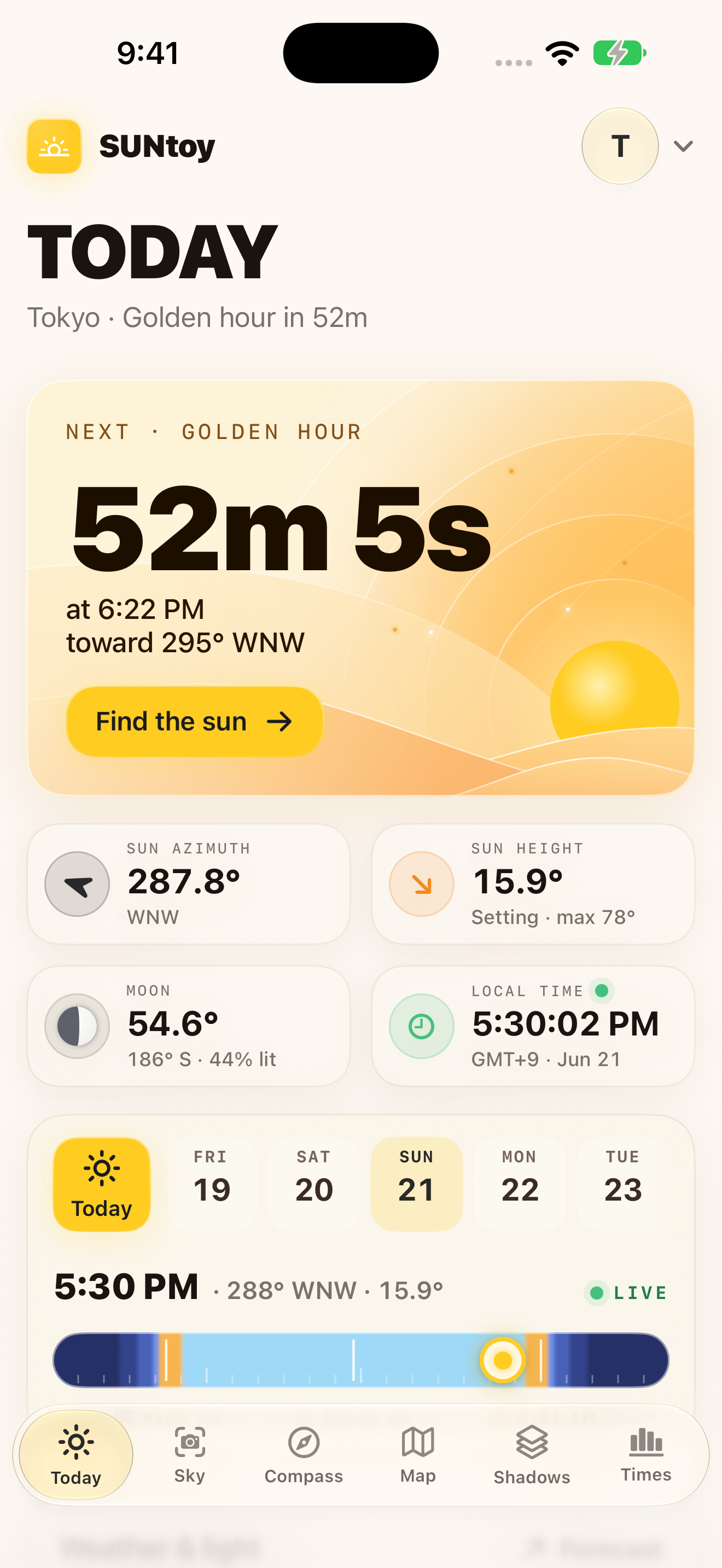
Find the right moment, see where the sun will be, and explore the shadows it leaves behind. Your day, in a different light.
iPhone · iPad · Mac · Apple Watch
Coming soon to the App Store
Explore SUNtoyEvery feature is free. No subscriptions. No in-app purchases.
FROM FIRST LIGHT TO LAST
Scout a photograph, choose a sunny spot, or simply follow the changing sky. Pick a place, move through time, and let the day unfold.
01 / FOLLOW THE DAY
Sunrise, sunset, blue hour and golden hour, with sun and moon positions for your chosen place. Scrub through the day or look ahead to another date.
02 / THINK IN SHADOWS
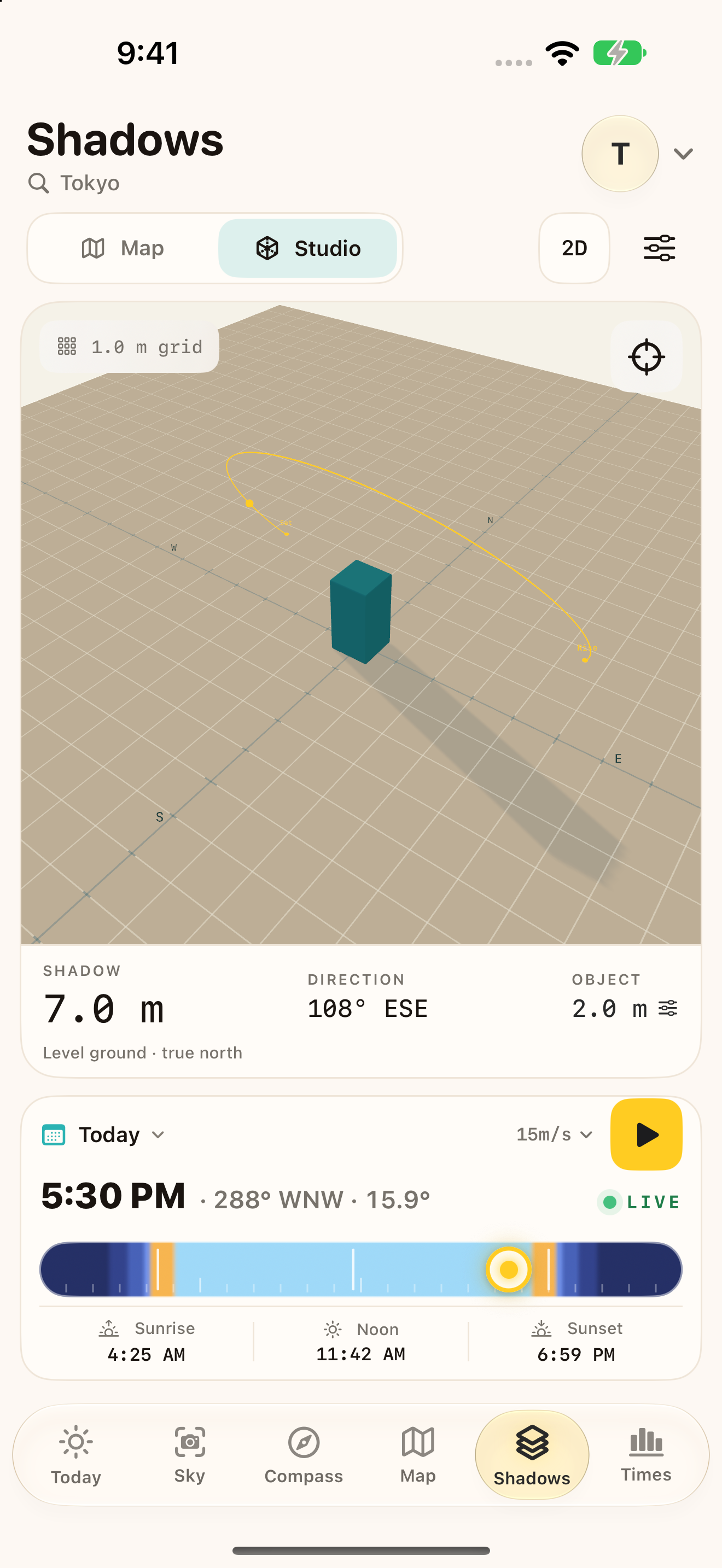
Change an object's height, width and rotation in Shadow Studio. Follow its shadow through the day, or explicitly load nearby building footprints on the map.
03 / KEEP IT CLOSE
Check today's solar arc, plan local event alerts, and keep sun times on your Home Screen. On iPhone and iPad, start a Live Activity countdown or use Siri and Shortcuts.
iPhone / iPad / Mac / Apple Watch
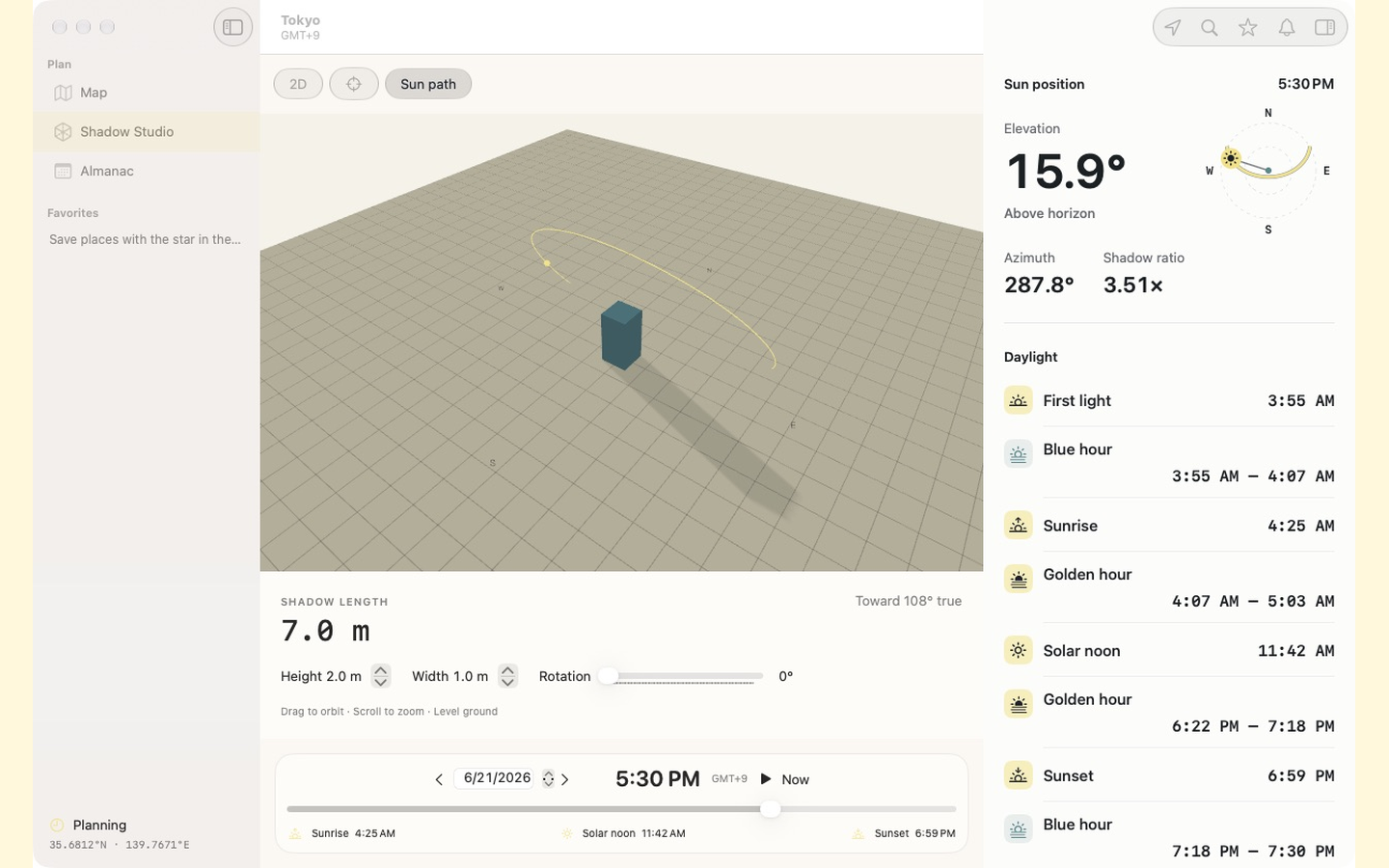
A native Mac workspace brings the map, Shadow Studio and solar almanac together. On iPad, the layout adapts to your window. Apple Watch keeps local sun times and a wrist-ready compass close.
Requires iOS / iPadOS 26, macOS 26, or watchOS 26. Features vary by device.
On iPhone and iPad, overlay the sun's path on the camera view and save a sky capture.
Apple Weather adds temperature, clouds and hourly light-planning context when available.
Astronomical calculations work offline. Maps, place search, weather and new building data need a connection.
Save locations on your device and return to them for a future sunrise, trip or shoot.
Yes. Every feature is free, with no subscriptions or in-app purchases.
No. Shadows are level-ground estimates. Building heights may be tagged, estimated from floor counts, or use a clearly labeled fallback. Terrain, vegetation, roof shapes and clouds are not modeled.
Yes. Choose a place manually. Live location, camera, motion, photo saving and notifications use system permissions for the features that need them.
Live direction needs a supported physical Apple Watch with valid heading readings. Unsupported devices and unavailable readings show a labeled north-up view. The simulator cannot validate the compass.
Alerts are scheduled ahead for the selected place. Open SUNtoy periodically to renew them; background refresh depends on the operating system. Predictions and compass views are planning aids, not safety instruments.
Coming soon to the App Store
Every feature is free. No subscriptions. No in-app purchases.